Explore flights from any web browser.
Use Flight Reader Web without installing desktop software, whether you are working from your usual computer or another supported device.

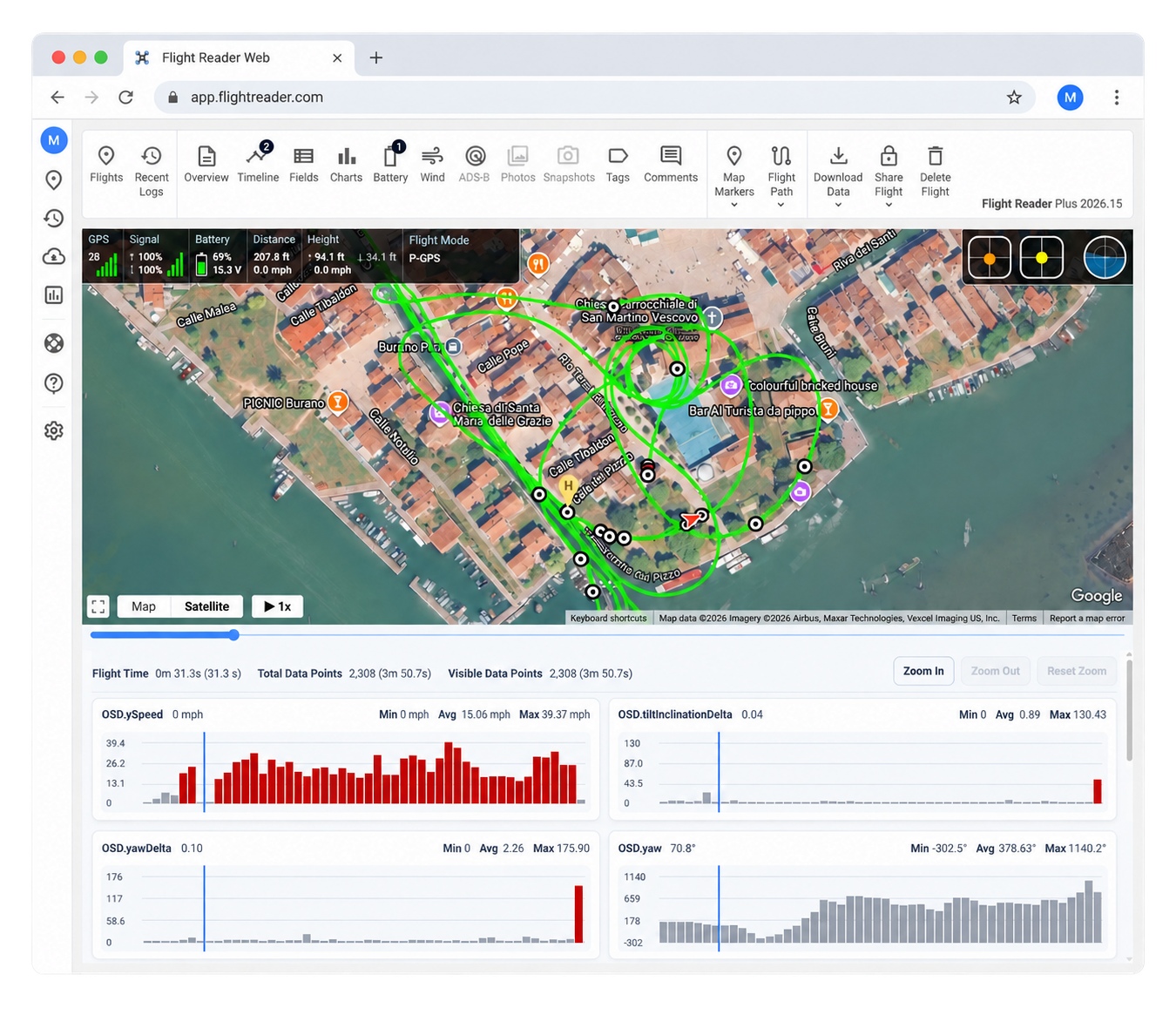
Use Flight Reader Web to import your DJI flight logs, retrace flights, and explore their telemetry in any web browser.
Use Flight Reader Web without installing desktop software, whether you are working from your usual computer or another supported device.
Create a free Flight Reader Web account and begin exploring supported DJI flight logs before deciding whether you need a paid plan.
Connect a DJI account to view and import eligible flight logs available through DJI Cloud.
Use automatic DJI Cloud synchronization with an eligible plan so new logs can be ready the next time you open Flight Reader.
Review flight-mode changes, warnings, and recorded events in the flight timeline instead of searching through raw data.
Explore battery, wind, ADS-B, photo, snapshot, and other information whenever it is present in the source log.
Add notes, tags, and crew information so the flight still makes sense when you return to it later.
Save report definitions with your preferred columns, calculations, grouping, and filters for consistent future results. Free reports include the first five matching records.
Give other people controlled access to individual Web flights and use comments to keep the discussion connected to the record.
Keep Web flights, notes, reports, and organizational details available through your Flight Reader account, within your plan's retention limits.
Use available Flight Reader Web API features to upload, retrieve, update, delete, and export flight records programmatically.
Create a free account, import a supported DJI flight log, and open it to explore the flight map, playback, charts, and recorded details.
Flight Reader Web runs in your web browser, so you do not need to install the Windows desktop application. You can use it on a Mac or another device with a supported web browser and Internet access.
Import supported DJI TXT flight logs directly, or extract supported TXT logs from an Airdata export ZIP. You can also connect a DJI account to import eligible logs available in DJI Cloud. DAT flight logs are not supported.
Yes. The Free plan has no time limit, with limits on importing, retention, and some features. Plus provides more features and storage. Compare the Free and Plus plans to choose the best fit.
Free accounts retain flight logs for 90 days. Plus logs remain stored while your paid plan is active. Plus includes storage for 500 flight logs, with additional storage available as needed.
Flight Reader Web uploads logs for online processing and storage. If you need to process and store logs locally without uploading them, use Flight Reader Desktop. See our Privacy Policy for details about data handling.
Yes. You can generate reports, export available data, and share individual flights with access controls and comments. Available export formats, fields, and report limits depend on your plan.
Web and Desktop are separate products with their own plans and licenses. You can create a free Web account even if you already use Desktop. Compare Web and Desktop for more details.
Email [email protected] for help importing logs, using the app, or choosing a plan.
Create a free Flight Reader Web account and explore your DJI flight logs right from your web browser.